

Change content by asking
Hours, prices, texts, pictures: in every language. You see each change first, and can undo it.
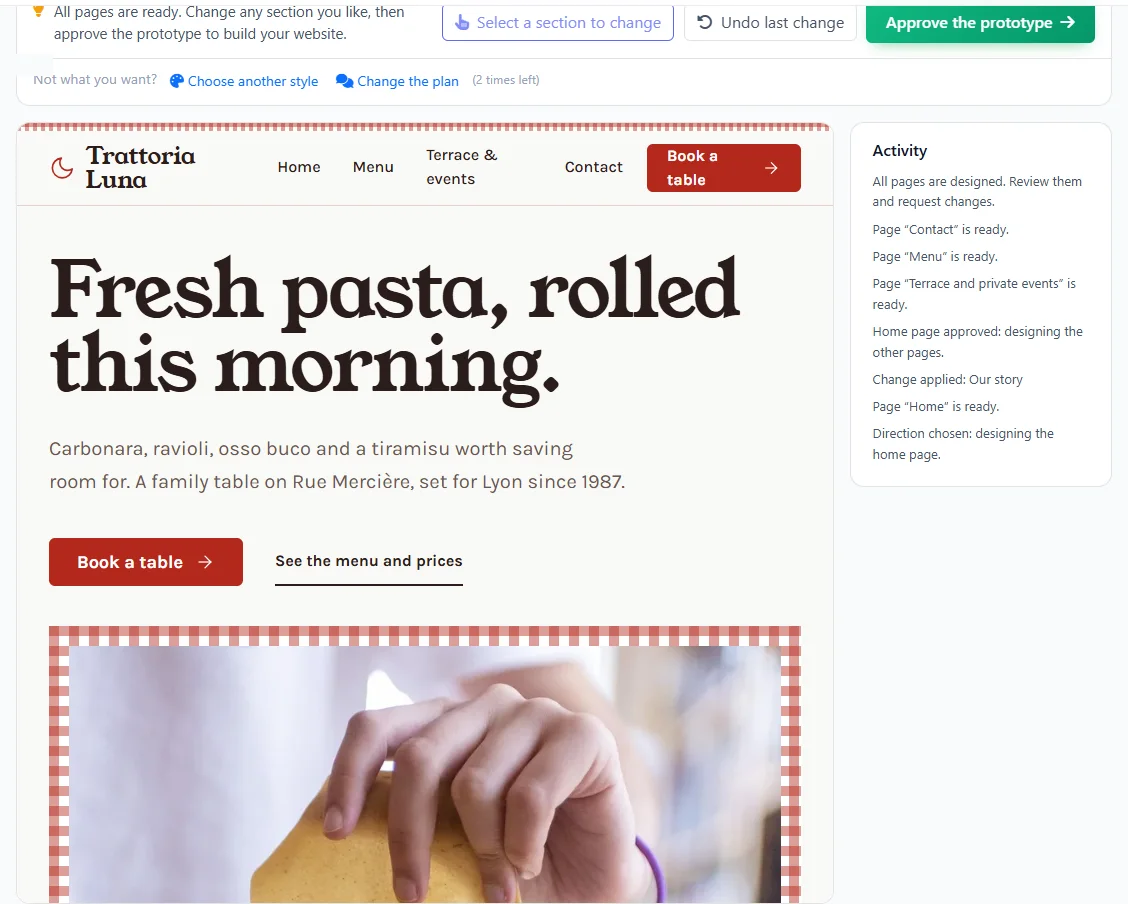
Tell Pageface about your business. It asks the right questions, proposes styles, shows you every page, then builds a real website in your languages, on FaceFlow.
Texts from what you told us, in your own words where you gave them.
Every page, menu and list translated by the AI.
Not a picture of a website: a real one.
Change anything yourself afterwards, without code.
You stay in charge at every step. Nothing is built until you have seen it.
Describe your business in a few sentences. The AI asks about the rest, and your website plan fills in as you talk.
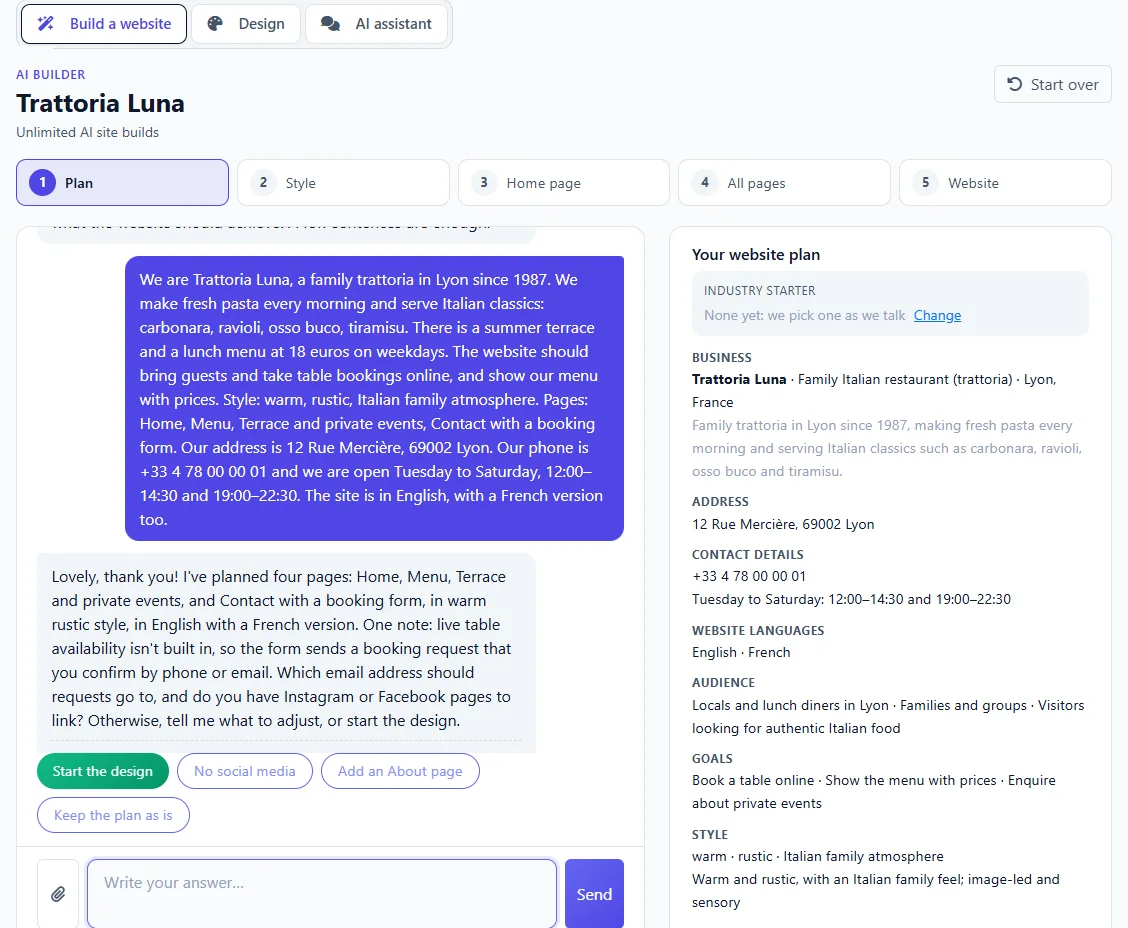
Three directions made for your business: colours, fonts and mood, each shown on a first screen of your website. Already have a look in mind? Upload it.
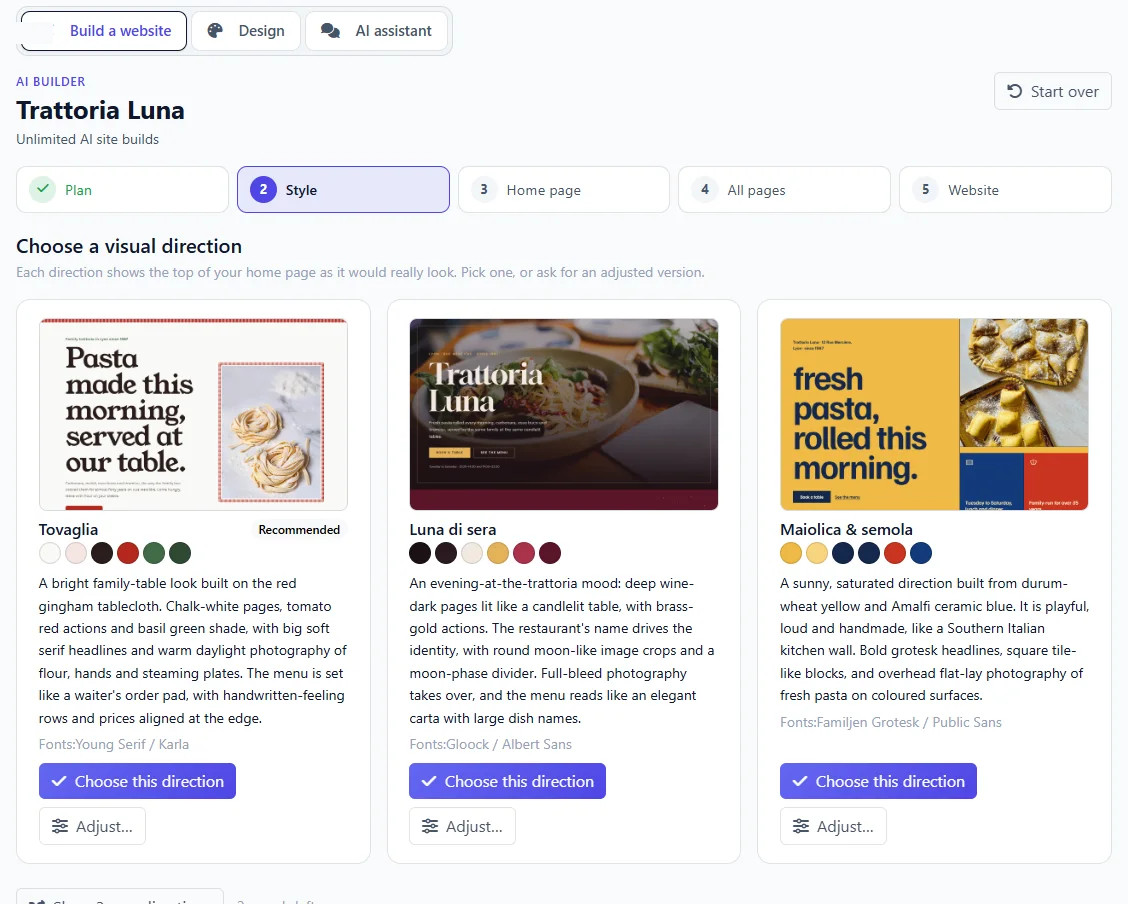
The home page first, then each inner page. Approve it, or point at a section and say what to change.
Every page with what you can edit on it, the forms and where their messages go, the lists, the languages and the pictures: and what your plan still has.
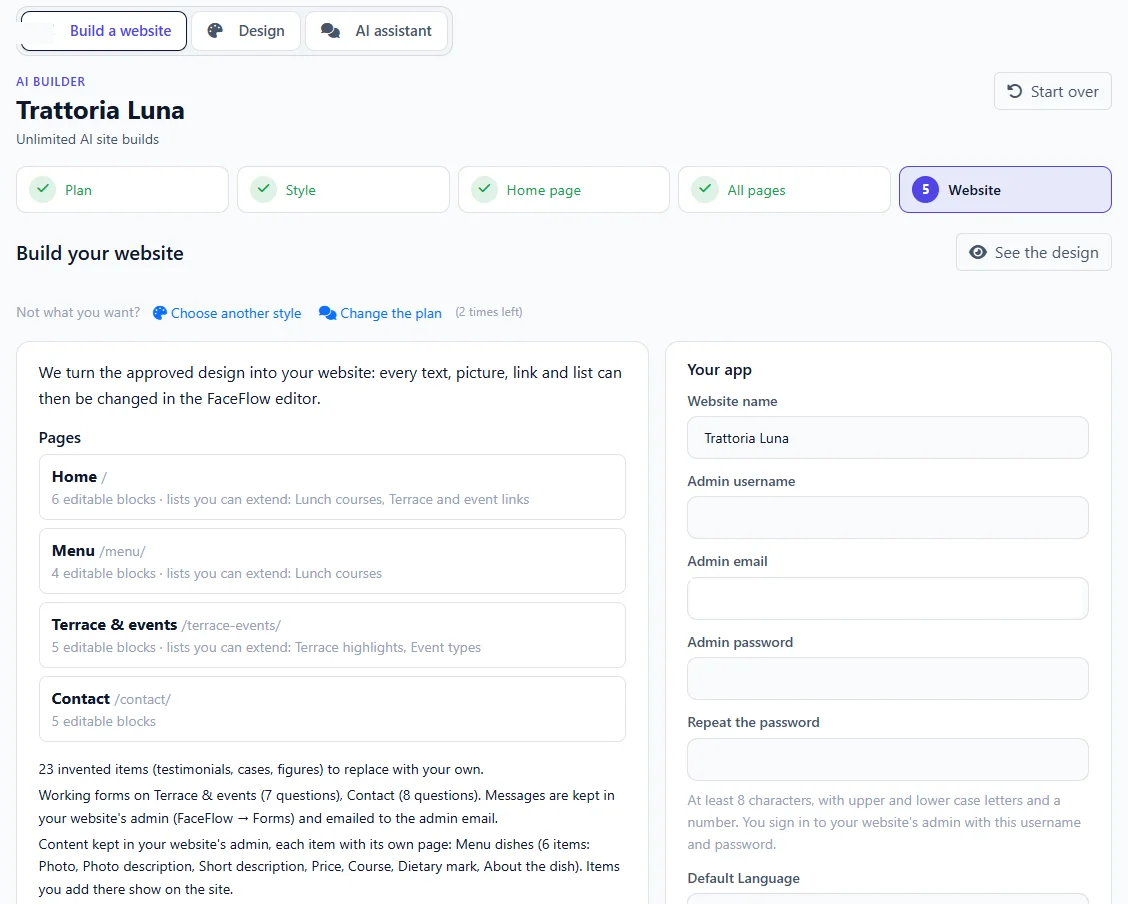
The AI builds it on FaceFlow while you watch. Then it is yours: open it, edit it, connect your domain.
A home page and inner pages, linked in the menu, with a header and a footer.
Written for your business and your customers; you review each page.
Booking, contact or quote requests, sent to your inbox and kept in FaceFlow.
Placed from your address, shown once your visitor agrees.
Menus, teams, news, properties: each item its own page, with filters where they help.
Picture galleries, and long texts with headings and pictures.
Every language you chose, with a language switch for your visitors.
Page titles and descriptions, and a sitemap for search engines.
Your website comes with an assistant: write what has changed in your business, and it updates the website for you, in every language.
Hours, prices, texts, pictures: in every language. You see each change first, and can undo it.
Reviews, a team, a price list, a new page: shown in place on a laptop and a phone before you add them.
Holiday hours, new reviews to approve, and a monthly check with ideas for new content.
Nothing changes without you: you see each change first, and you can undo it.
Two simple units, included in your plan. You see the cost before you confirm anything.
| Designing and building a website | 1 build |
|---|---|
| Going back to change the plan or the styleUp to 2 times per website | No other build |
| A new or redesigned section, or a new lookIn the Design tab | 1/20 build |
| A change by the assistantHours, a price, a text, a link | 1 point |
|---|---|
| A new article, dish or team memberEach new item of a list | 3 points |
| A new pageMade like one of your pages | 3 points |
| A notice at the top of every pageUntil the day you choose | 2 points |
| A new language for the whole websiteTranslated by the assistant | 5 points |
Pick a ready-made website and make it yours in FaceFlow. You can still ask the AI assistant for help later.
Ask for changes section by section, choose another style, or change the plan: going back uses no other build.
Yes. Upload a screenshot of your current website, or of one you like, and it follows its layout, colours and typography.
The AI, from what you told it, keeping your own words where you gave them. You see every page before it is built, and can change any text afterwards.
From Pixabay, a free photo library whose pictures may be used commercially. Where no picture fits, a soft placeholder named after its place waits for your own photo.
As long as your account exists: your conversation stays with the design. Your website does not depend on it.
Tell us about your business. You will see your first pages in minutes.