

Click a section. Change it. Publish.
Pick a section on your page and change its texts, pictures and links in the panel beside it. When you need more, FaceFlow grows with you: pages, lists, forms, languages and your team.
- In every plan
- No code
- Works with the AI
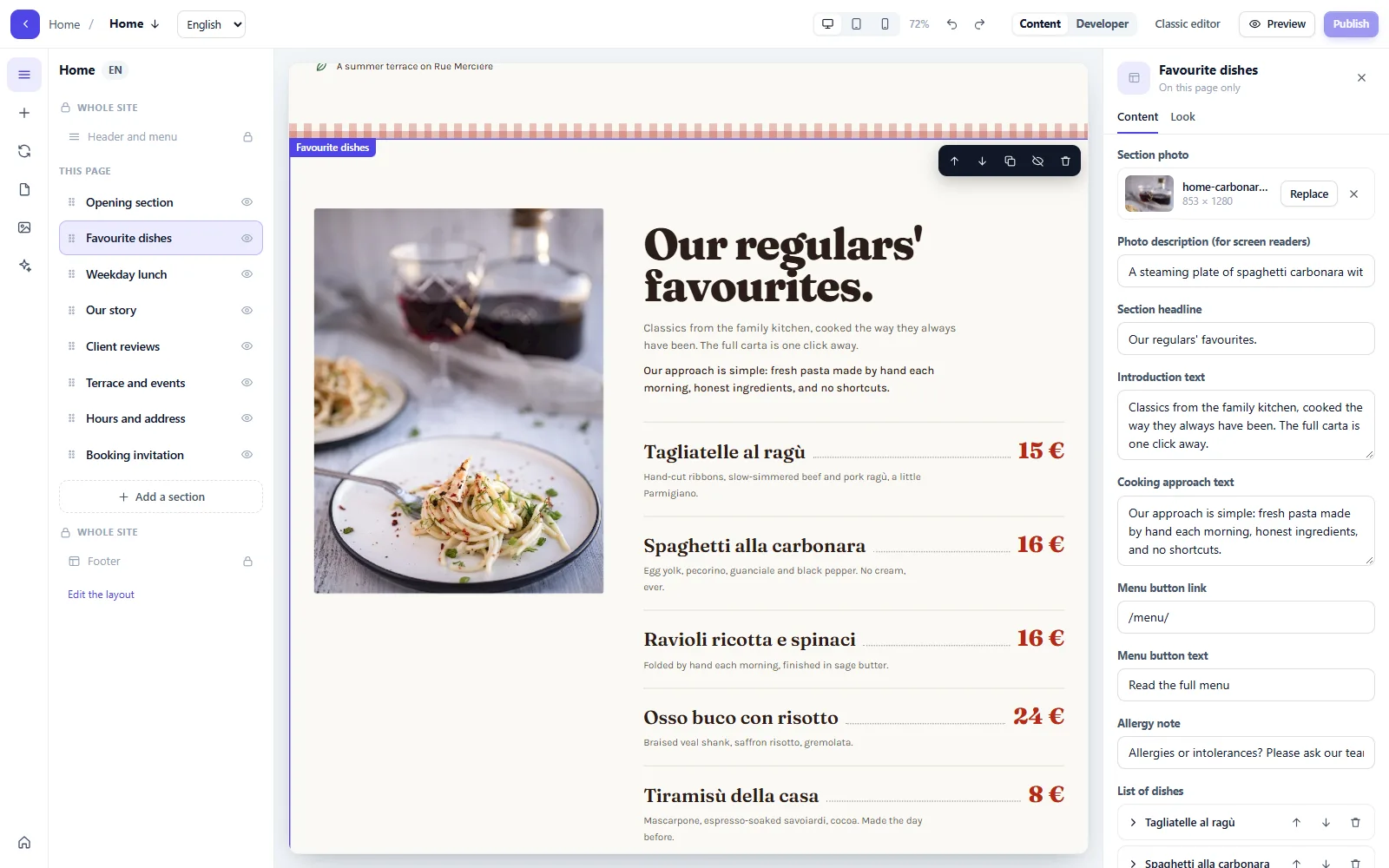
Three ways to change your website
Whatever you use, it is the same FaceFlow website: no copies, nothing out of step.
Yourself, in FaceFlow
Pick a section and change it in the panel beside it. Every text, picture and link is yours to change.
By asking the AI assistant
“New lunch menu from Monday.” It finds every place, in every language, and shows you the change first.
With the Design tab
New sections and redesigns, made in your website’s style and placed where you want them.
Changes by you and by the AI land on the same pages; the last 30 versions of each page are kept.
Simple to start, deep when you need it
Pages and menu
Every page of your website in one list: add one, hide one, or bring one back from the trash.
Lists
News, menus, teams, listings: add an item in a form, and it appears on every page that shows the list, with its own page.
Forms and reviews
Messages from your forms are kept here and sent to your inbox; reviews from your visitors wait for you to publish them.
Media
Your pictures in one place, and free stock photos to choose from when you have none of your own.
Team
Invite colleagues and give each one only what they need to change.
Also in every FaceFlow website
Auto links
Words you choose link to their pages, everywhere they appear.
Maps
Placed from your address, loaded only once your visitor agrees.
Every language
Switch the editor to a language and fill in its texts; the AI assistant translates the rest.
Page history
The last 30 versions of each page, ready to restore.
Search basics
Page titles, descriptions and a sitemap, ready for search engines.
Your own domain
HTTPS included, and no Pageface branding on your website.
Build your own sections, safely
FaceFlow components are HTML with Tailwind and a simple template syntax, written in the editor: no server code to deploy.
Simple templates
A familiar syntax for lists, conditions and the website’s settings, safe by design.
Components with fields
Define the fields once; the people who edit fill them in without touching the code.
Tailwind, variables, layouts
Your design system across every page, with Tailwind built for each website.
Share them in the Add-on Center
Publish components and starters for other Pageface users.
Do I need to know how to code?
No. You pick a section and change it in the panel beside it. Code is only for those who want to build their own components.
Will my changes break what the AI built?
No. The AI builds ordinary FaceFlow pages: you edit the same sections it made, and the last 30 versions of each page are kept.
Can my team edit the website too?
Yes. Invite colleagues and give each one a role: 5 people on Starter, 10 people on Pro, 50 people on Business.
Can I use a section on several pages?
Yes: put it in a layout the pages share. The header and the footer are like that: change them once, and every page that uses them follows.
Let the AI build it. Make it yours in FaceFlow.
Start free: your first AI site build is included.