

What every website already does
Every website made by the AI Builder tells search engines what they need to know:
- A sitemap at /sitemap.xml, with every page your visitors can see, and a robots.txt file that names it.
- The address of each page and of its translations, so each language is found in its own.
- A description of your business on the home page: what kind of business, where and when it is open.
- A card for every page when it is shared, with its title, description and a picture.
Write a description for each page
The description is the line search engines show under your page's title. Write one for each page, in each language, of 70 to 160 characters: what the page offers, and where.
- In FaceFlow, open Site settings, then Search engines and Page descriptions. A length between 70 and 160 characters is marked as good.
- Or ask the AI assistant: "Write the search engine descriptions of every page". It writes them from your pages, and you confirm.
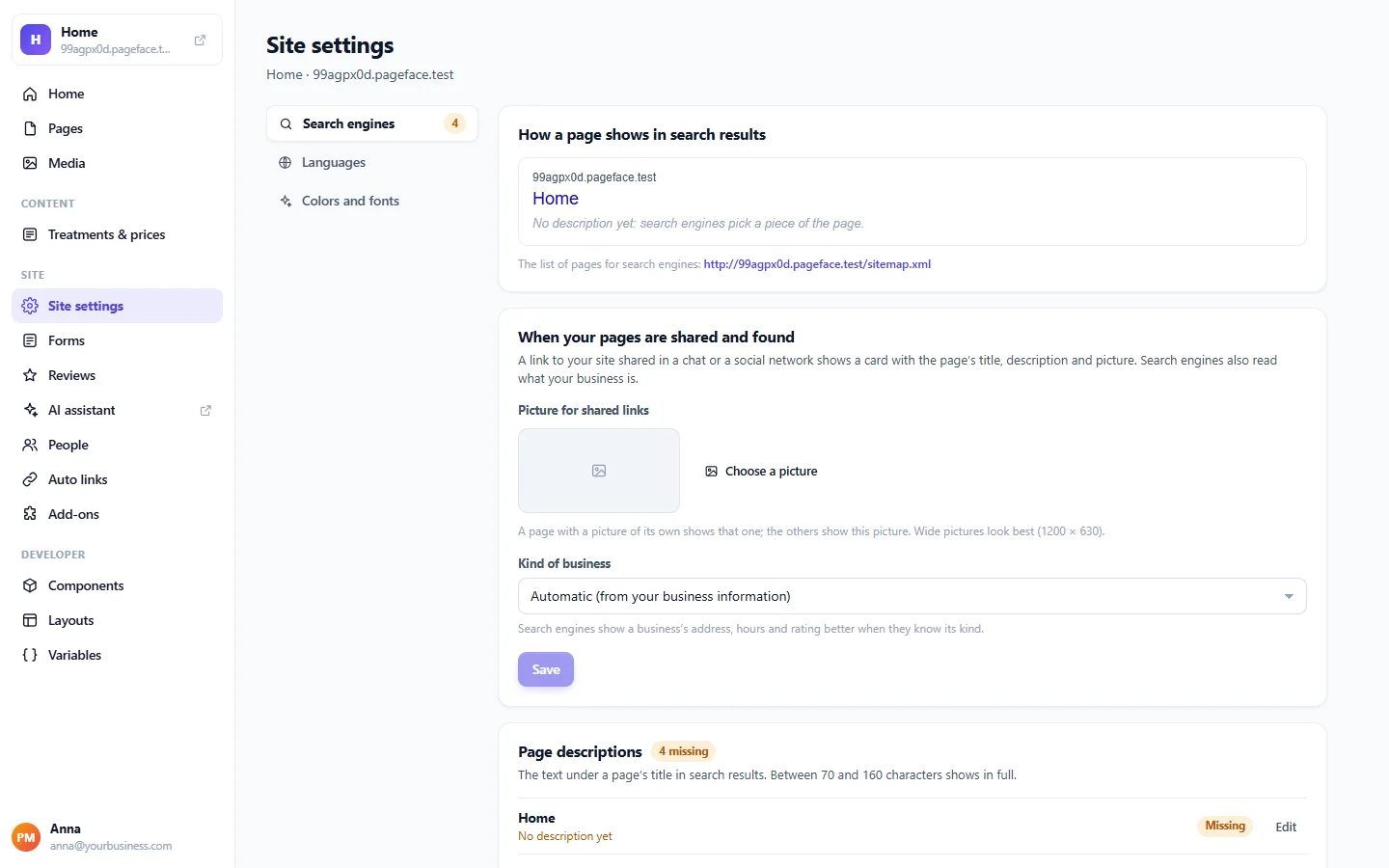
The search preview shows how a page would appear in the results.
Make your shared links look good
When someone shares a page, its card shows the first picture of the page. Choose a Picture for shared links in Site settings for the pages without one; a picture of 1200 × 630 pixels fits best. In Search engines you also choose the kind of business search engines read, or leave it automatic.
Keep your business information right
Search engines compare your address, phone and opening hours with what they find elsewhere. Keep them in Site settings, in Business information and Hours and locations: every page then shows the same, and special dates or closures can be announced at the top of every page.
The monthly check
Turn on Check my website once a month in the AI assistant's settings. Once a month it lists what to improve: pages without a description, page titles missing or used twice, links that lead nowhere, pictures without a description and pictures heavier than 800 KB. Click Fix with the assistant to have them fixed.
Good habits
- Connect your own domain: see Connect your own domain.
- Give every picture a description in Media: search engines read it, and so do blind visitors.
- Write for your customers, with the words they search for: your trade, your town, your specialities.
- Keep your news and lists up to date: a living website is found more often.