

The plans
- Starter, free: 1 website, 1 AI site build, 20 AI points a month, up to 5 pages.
- Pro, €19 a month or €190 a year: 1 website, 3 AI site builds, 150 AI points a month, up to 50 pages, email support.
- Business, €39 a month or €390 a year: 3 websites, 8 AI site builds, 300 AI points a month, up to 150 pages per website, email support.
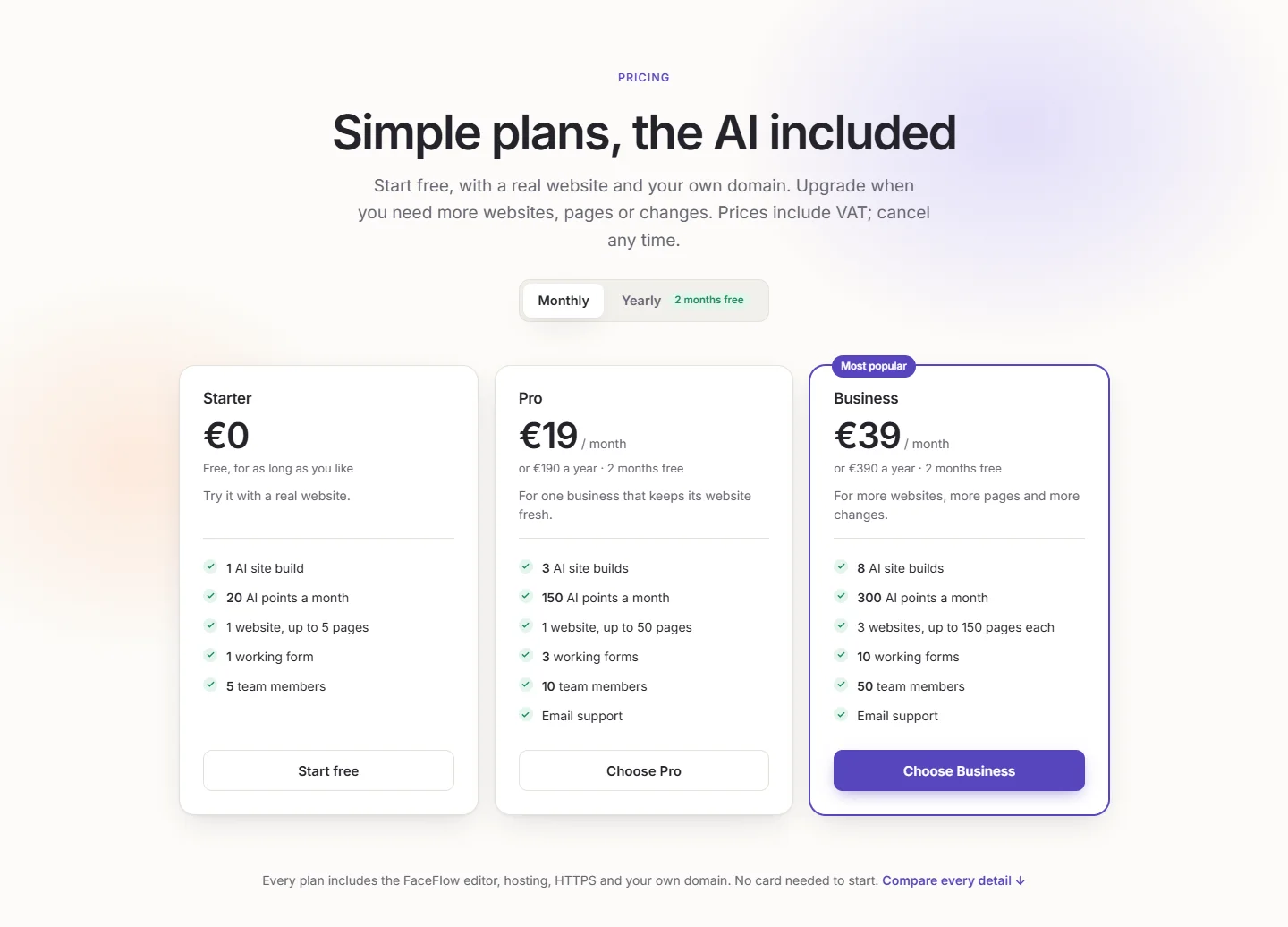
Every plan includes the FaceFlow editor, your own domain with HTTPS, every language you need, and websites hosted in the EU without third-party trackers. Plans also differ in lists, forms, storage and team members: compare them all on the pricing page. Prices include VAT; paying yearly gives two months free.
AI site builds and AI points
AI site builds are for designing a website with the AI Builder. They do not run out with the month: use them when you like. A new website uses one build; a change to a section during the design, or a design in the Design tab, uses a twentieth of one; adding a new section, such as a blog, to an existing website uses a quarter. Upgrading adds the difference between the plans.
AI points are for the AI assistant, and come back every month. A change by the assistant uses 1 point, a new list item or page 3, a notice 2, and a new language 5. See Change your website by asking the AI assistant.
Upgrade your plan
- Open Subscription in your account, or Upgrade Plan on its overview.
- Choose monthly or yearly, then your plan.
- From Starter, you pay securely with Stripe: by card, or the other ways of paying offered in your country. Between paid plans, the change is immediate and Stripe charges only the difference for the rest of the period.
Upgrades take effect at once. Downgrades take effect at the end of your billing period: until then, the page shows the Scheduled Plan Change, which you can cancel.
Cancel
In Subscription, click Cancel Auto-Renewal, or choose Switch to Free. You keep your plan until the end of the period you paid for, then your account moves to Starter. Changed your mind? Reactivate Auto-Renewal before the end.
If your websites then use more than the smaller plan allows, they stay online for your visitors, but their editor waits until you upgrade again or bring them within the plan's limits.
Invoices
Billings lists your payments; Invoice opens each invoice from Stripe in a new tab.
Delete and restore a website
In Manage, the Danger Zone deletes a website. We keep its files and data for 30 days, under Deleted Applications in My Apps, where Restore brings it back online, with its Pageface address; it counts in your plan again. We tell you seven days before it is removed for good. Delete Now removes it at once. While kept, a deleted website counts in your storage.
Help from our team
On the paid plans, open Support in your account to write to us: your message comes with your account, so we can help faster, and we answer by email. Anyone can also write to [email protected], and the FAQ answers the questions we hear most.